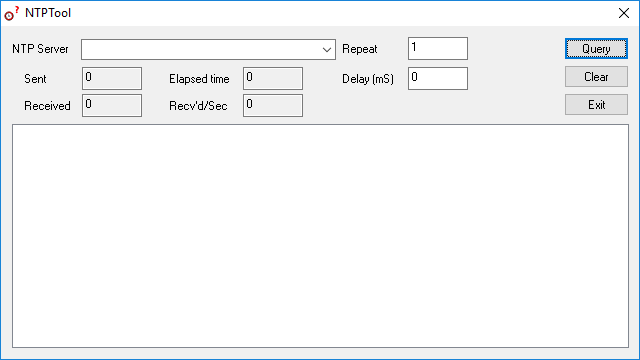
NTP Server Tool
The Galleon Systems NTP server tool tests the accuracy of your NTP time server.
This free, downloadable software functions as a client to your NTP server. Simply enter the IP address of your time server and send a time request. You can specify the number of requests to send and the amount of time between each one.
The tool generates a complete report about your NTP time server, including the originate, receive and transmit timestamps, and the precision of your NTP server in milliseconds.
Because it reports the raw contents of the NTP packet alongside the calculated result, it shows you not just how far out your clock is but why. The stratum and reference identifier tell you what your server is ultimately synchronised to, and the leap indicator will reveal a server that has lost synchronisation altogether.
The NTP server tool can be used to test the accuracy of any NTP server, whether it is a dedicated time server appliance on your own network or a public NTP pool server.
Packet Header:
- Leap Indicator (LI): Warns of a leap second at the end of the current day.
- 0: No leap second adjustment.
- 1: Last minute of the day has 61 seconds.
- 2: Last minute of the day has 59 seconds.
- 3: Clock is unsynchronized.
- Version Number (VN): The version of the protocol in use. Version 3 is defined by RFC 1305 and version 4 by RFC 5905.
- Mode: The role the sender is taking in the exchange.
- 0: Reserved.
- 1: Symmetric Active.
- 2: Symmetric Passive.
- 3: Client.
- 4: Server.
- 5: Broadcast.
- 6: NTP control message.
- 7: Private use.
- Stratum: How many steps the server is removed from a primary reference clock.
- 0: Unspecified or invalid.
- 1: Primary reference.
- 2-15: Secondary reference.
- 16: Unsynchronized.
- 17-255: Reserved.
- Poll Interval: The maximum interval between messages in seconds to the nearest power of two.
- Precision: Precision of the local clock in seconds to the nearest power of two.
Reference Clock:
- Reference ID (REFID): Used to identify the particular reference clock.
- In the case of stratum 0 (unspecified) or stratum 1 (primary reference), this is a four byte, left-justified, zero padded ASCII string.
- In the case of stratum 2 and greater (secondary reference) this is the IPv4 address of the primary reference host.
- Reference Timestamp (REF TIME): The local time at which the local clock was last set or corrected.
- Root Dispersion (DISP): The maximum error relative to the primary reference source in seconds with the fraction point between bits 15 and 16. Only positive values greater than zero are valid.
- Round Trip Delay: The time between the departure of request and arrival of reply in milliseconds.
Timestamps:
- Originate Timestamp (ORG): The local time when the client sent the request.
- Receive Timestamp (REC): The local time when the request was received by the server.
- Transmit Timestamp (XMT): The local time when the reply was sent from the server.
Local System:
- Local System Time (SYS): The current time and date on the local system.
- Local Clock Offset: The offset of the local clock relative to the primary reference source in milliseconds.
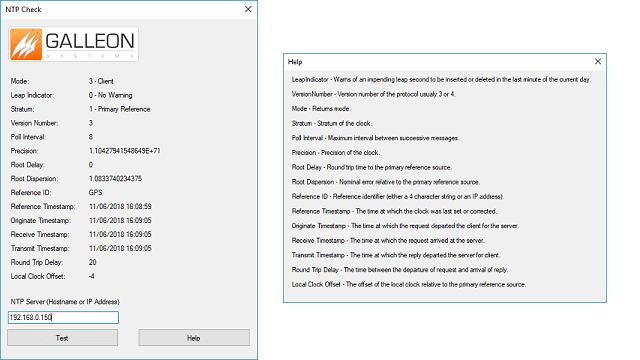
NTP Check
Acts as a client to your NTP server. Sends time requests and provides a full report on the precision of your time server. Download for free.
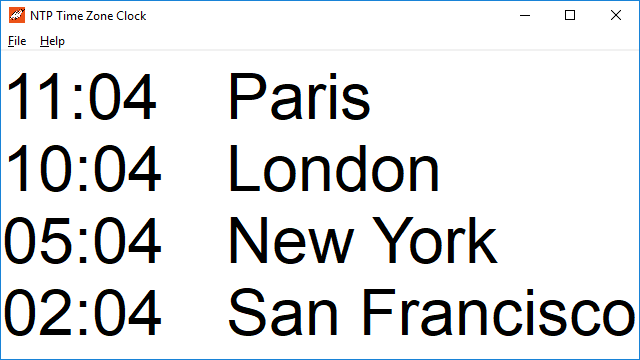
NTP Time Zone Clock
Displays the local time of over 300 cities worldwide. Ideal for organisations with international staff and customers. Download for free.
NTP Server Tool
Free, downloadable tool acts as a client to your NTP server to test its accuracy.